
01 / Flowboard documentation
Define the portal relationship
Identify the client participants and the decisions each can make. A stakeholder may contribute feedback without having authority to accept a deliverable. Establish who consolidates competing comments and explain how conflicting feedback will be resolved.
Choose a coherent set of information for the first invitation: the brief, current progress, the item awaiting review and its expected response date. A portal full of unorganized files can recreate an attachment chain, even when every file is technically accessible. Give the client an obvious place to begin and a named person to contact when context is missing.
02 / Flowboard documentation
Review visibility before inviting people
Clients have a separate view of selected tasks, comments and files. Internal notes, cost rates and margins stay outside that view. The team still controls which words and documents it deliberately shares. Establish a review step for sensitive drafts and attachments rather than assuming that every file on a client project belongs in the portal.
Use the client preview or a controlled client account to inspect the experience. Check names, supporting context and the next request. Confirm that an internal working document has not been intentionally attached to a shared conversation by mistake. Access rules cannot infer that an otherwise permitted attachment was the wrong file.
03 / Flowboard documentation
Write requests people can answer
A review request should identify the deliverable, decision needed, deadline and effect of a delayed response. Ask for approval of a direction or one consolidated change list. An open-ended What do you think? is a poor substitute when the team needs a specific decision to continue.
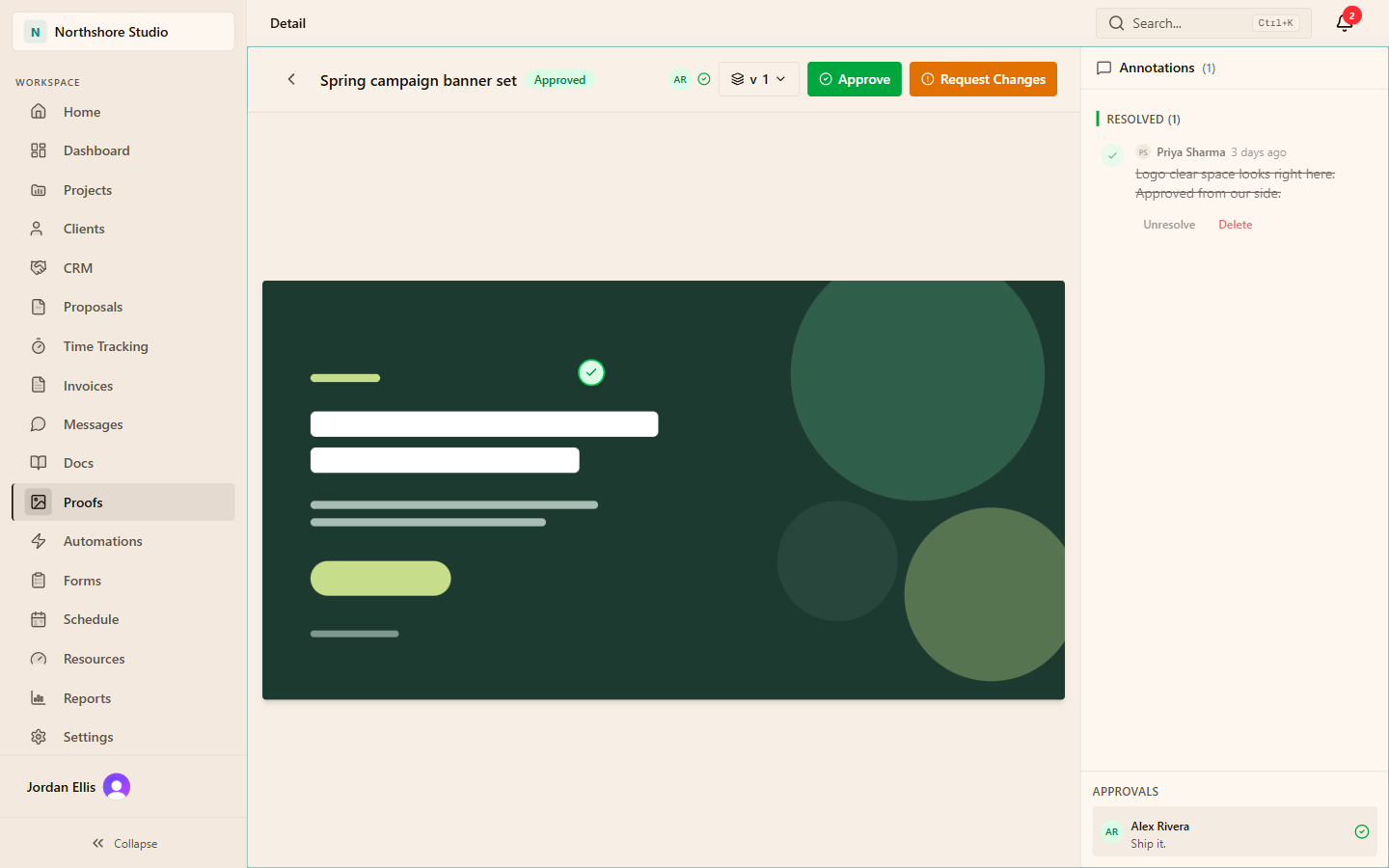
For creative work, keep feedback close to the asset and distinguish a question from a required change. Image proofing supports pins and review context. PDF content may use an embedded viewer, while other media may be downloadable. Use a specialist review tool when you need frame-accurate video annotations.
| Request element | Illustrative wording |
|---|---|
| Item | Homepage concept, revision two |
| Decision | Approve this direction or provide one consolidated change list |
| Timing | Respond by the date agreed in the project plan |
| Dependency | Build work begins after the direction is approved |
04 / Flowboard documentation
Run an illustrative review cycle
Imagine a design studio presenting two brand directions. The lead shares the presentation, repeats the evaluation criteria from the brief and names the client decision-maker. Internal critique remains in the internal discussion. Client comments become one agreed revision list.
After revisions, the lead records what changed and requests acceptance of the updated version. If the client introduces a new audience or deliverable, the lead records a scope-change request instead of hiding it in the same revision round. In this sample workflow, the change request keeps new work separate from the agreed revisions. The practical benefit is that everyone can see which question is being decided.
05 / Flowboard documentation
Make approval useful downstream
An approval should identify what was accepted, the version covered and who made the decision. Keep those facts next to the work so another team member can proceed without reconstructing a call or searching a mailbox. If the answer came through another channel, record its source and date.
Approval of a concept does not automatically complete the project or include every future revision. Keep acceptance of one deliverable separate from final handoff and commercial closure. When the next stage starts, summarize the accepted decision and any remaining constraints so the next contributor does not reopen a question by accident.
06 / Flowboard documentation
Maintain the portal as the project changes
Refresh the next action when a stage changes. Remove obsolete requests from the active conversation while retaining the decision history. At handoff, identify final files, operating notes, known limitations and the support route. The client should not need to guess whether work is still in review.
Client users are free and unlimited under the published plan, so invitations do not need to be rationed as paid team seats. That does not mean every stakeholder needs every project. Invite people according to their responsibilities and review access when the relationship changes.
Prepare
Check the shared brief, files and next decision.
Invite
Explain who reviews what and when an answer is needed.
Maintain
Record decisions, replace stale requests and check access at handoff.
THE PRACTICAL DETAILS
Questions, answered.
Are clients paid team seats?
No. Published pricing includes free, unlimited client users. Internal team members are the paid seats.
Can clients see internal cost rates?
Those financial fields are outside the client view. Separately review shared comments and attachments so the information intentionally published is appropriate.
Can we annotate every media type the same way?
No. Pins are for images. PDF viewing and other file handling have different behavior, so use the process supported by the actual asset.
What if approval arrives by email?
Record the decision, version, approver and date beside the work. Retain a reference to the original message so the instruction remains traceable.