
01 / Flowboard documentation
Start with a repeated decision
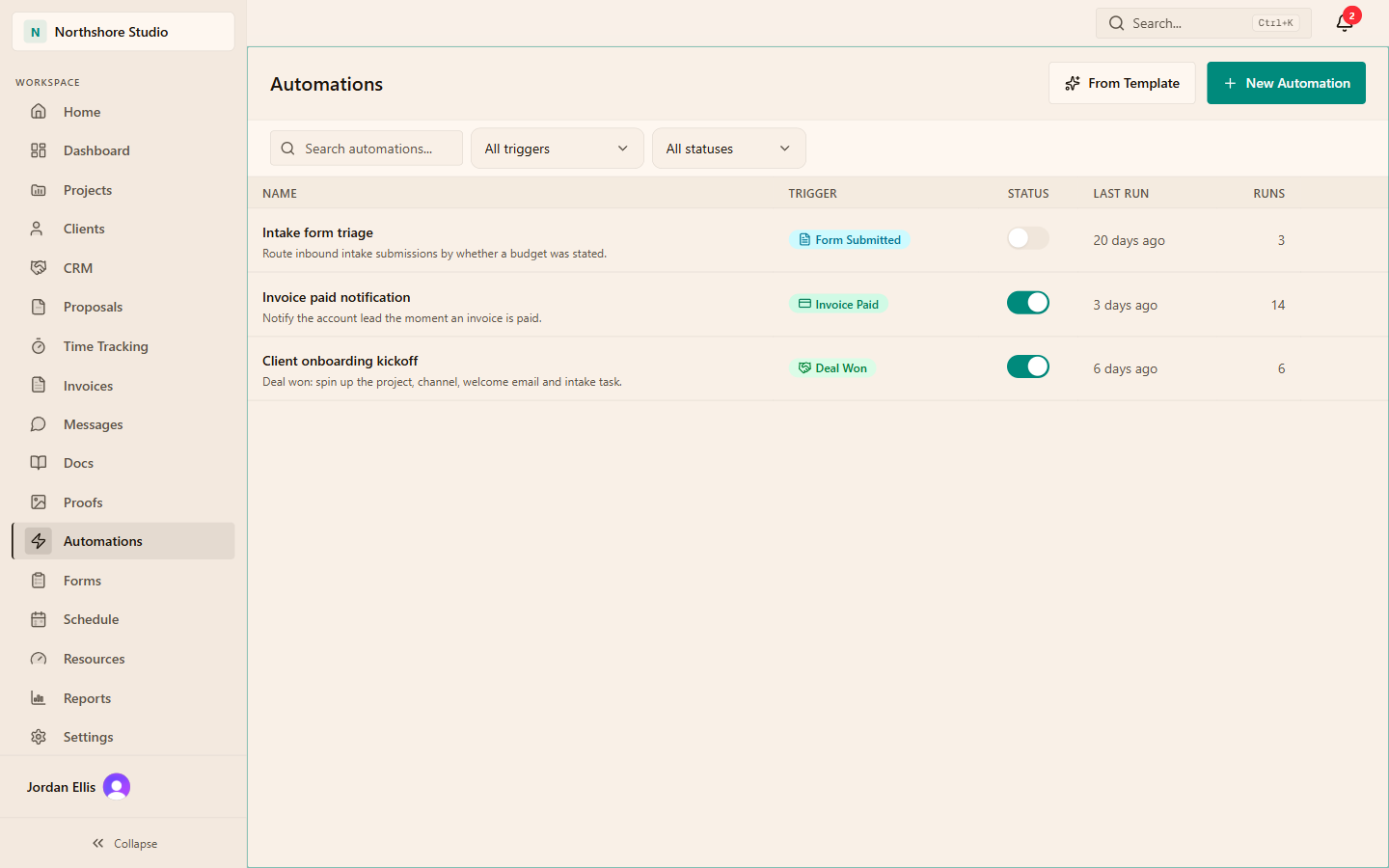
Choose a routine with a clear input and observable result. An intake submission that needs a project lead's attention is easier to evaluate than a sequence that changes several records, messages a client and schedules follow-up work. Write the desired behavior in one sentence before opening the editor.
Name an owner who knows when the rule should run, what proves it worked and how to respond if it behaves unexpectedly. Automation removes a repetitive step, but it does not remove responsibility when a client process or business condition changes.
02 / Flowboard documentation
Choose a trigger that actually runs
Current types include deal won, proposal accepted, task status changed, invoice paid through Stripe, form submitted, scheduled and inbound webhook events. The platform also records a booking created event, but it cannot currently be selected in the automation editor. Each supplies its own payload. A deal event does not automatically supply task fields because both records happen to exist in the workspace.
The Project completed trigger is not active yet; choose another supported trigger for this workflow. Scheduled events contain schedule information rather than a project or client record. These distinctions matter before choosing a condition or action.
03 / Flowboard documentation
Read conditions from the actual payload
A path begins with trigger. and uses dots to address nested data. trigger.deal.value refers to the numeric value of a won deal. trigger.task.new_status identifies a task's new status. Use the picker for known fields and the reference page when checking a workflow.
Custom paths suit form-answer keys and webhook payloads. They do not create a field that the event never sent. A missing path resolves to an empty value; the selected operator determines the branch. Empty-value and not-equals conditions can pass, while many equality and numeric comparisons fail. Explicitly test missing inputs. If a condition never passes, verify its path before changing the threshold or adding more actions.
04 / Flowboard documentation
Test a small illustrative rule
Consider an intake form with a numeric answer whose key is budget. A sample rule can inspect trigger.submission.data.budget and branch when the value is greater than 2000. That number is an illustrative decision boundary, not a recommendation for your agency's minimum project size.
Submit a record above the threshold, another below and one without the answer. Inspect the run and action outcome for each. Check the recipient, project and selected branch before enabling the rule for routine intake.
| Input | Expected decision | Inspect |
|---|---|---|
| Budget 3000 | Yes branch for greater than 2000 | The intended submission reaches the action |
| Budget 1500 | No branch | No high-budget action is taken |
| No budget answer | Missing value does not match | The absence is handled deliberately |
05 / Flowboard documentation
Keep actions proportionate
Use a limited test record and a low-impact action when checking a new rule. If an action creates client-visible content, sends a message or changes operational records, inspect its recipient, content and permissions before routine use. A correct condition can still feed the wrong destination.
Avoid making another rule depend on an assumption about the first rule's side effects. Verify the downstream event and data explicitly. Record the purpose, field keys and expected output so another administrator can maintain the workflow without reverse-engineering its history.
06 / Flowboard documentation
Review the workflow as the process evolves
Check run history after the first real events. Compare payload and condition result with what happened in the project. When a form question, status convention or client process changes, retest the affected rule. A renamed field can leave the automation enabled while making its condition consistently false.
Use a webhook for a specific handoff: choose the sender, map its data and check the resulting action. Two-way synchronization needs a separate connection in the other direction and a plan for resolving conflicting updates. Start with one useful workflow and keep its field mapping with your setup notes.
THE PRACTICAL DETAILS
Questions, answered.
Why does my condition always take No?
Check that the selected trigger sends the path entered. Missing fields read as empty, so a condition can fail consistently without a syntax error.
Can a scheduled run read the current project?
Not automatically. Its payload contains the scheduled marker, cron expression and fired-at timestamp, without workspace_id or a changed record.
Can I automate project completion?
The project_completed trigger is listed but currently not emitted. Choose an implemented event and verify that it represents the business decision needed.
Does a successful run prove the workflow worked?
Check the destination record and the branch used, as well as the run status. For example, verify that the task belongs to the intended project and has the right owner.