
01 / Flowboard documentation
Translate the agreement into a working brief
The brief should be short enough to consult while working and specific enough to settle a disagreement. Include the client, intended business outcome, deliverables, exclusions, key dates and approval owner. Link supporting documents instead of reproducing an entire sales conversation in a task description.
Separate an outcome from a deliverable. A new website is a deliverable; making the service offer easier to understand is an intended outcome. Commit to specific work without inventing a guaranteed business result. Record assumptions that make the plan possible, such as timely access to content and one consolidated round of feedback.
02 / Flowboard documentation
Break work into reviewable tasks
A task needs an observable finish. Draft three concept directions is easier to review than Work on brand. If a task requires several people or spans different decisions, split it at a meaningful handoff. Avoid turning every minor action into a separate item if that makes the board harder to read.
Use an accountable owner even when several people contribute. That person keeps the record current and raises blockers; it does not mean they perform every action personally. Keep dependencies visible in the brief and task descriptions. A task is not necessarily ready just because its due date is approaching.
| Vague item | More useful task | Completion check |
|---|---|---|
| Website | Prepare homepage content outline | Project lead has reviewed sections and priority |
| Design review | Consolidate client feedback on concepts | One approved change list exists |
| Launch | Complete the release checklist | Named reviewer confirms the agreed checks |
03 / Flowboard documentation
Make the commercial model explicit
A fixed-fee project needs an agreed fee and a credible effort plan. A retainer needs a defined period and delivery boundary. Time-and-materials work needs agreed rates and a billing cadence. The same task structure may suit all three, but the way you judge progress against money differs.
Check rates before time entries accumulate. Keep your agency cost-rate definition distinct from the selling rate. Historical entries, future estimates and invoiced revenue answer different questions. Record an illustrative calculation with a few hours so the person responsible for reporting can confirm the setup.
04 / Flowboard documentation
Choose the view for the question
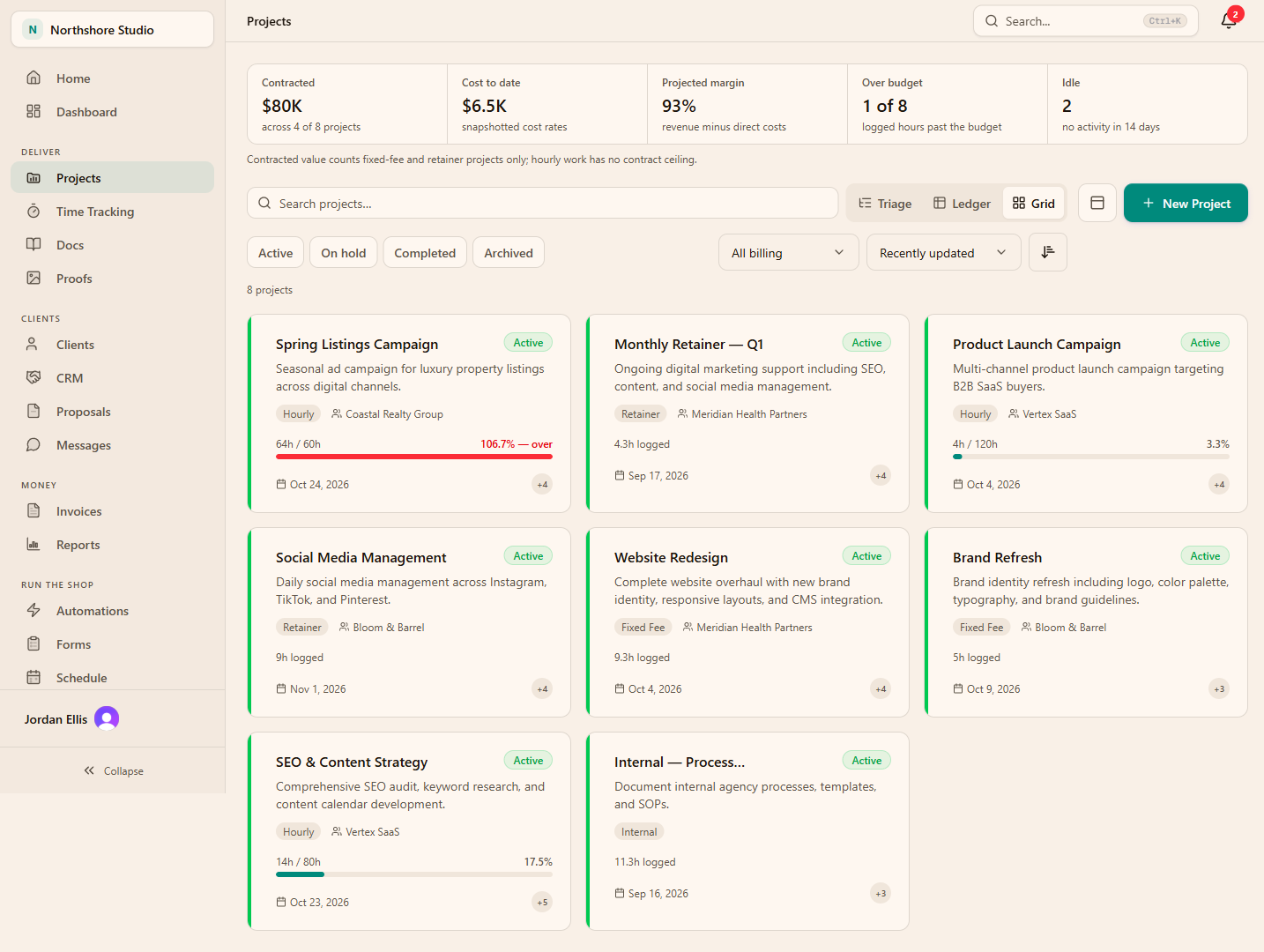
The overview helps people find active projects. A triage view is useful when deciding what deserves attention. The ledger brings project hours and financial context together. Moving between views preserves the project context while changing the decision you are trying to make.
For a delivery meeting, begin with blocked or time-sensitive work. For a commercial review, start with effort and economics. Do not expect one screen to settle every issue. A concerning number is a prompt to inspect underlying tasks and time entries, not permission to infer why a team member took longer.
- Use the overview to orient people to active projects.
- Use attention-focused views to prioritize intervention.
- Use financial views to inspect the connection between work and cost.
05 / Flowboard documentation
Keep client visibility intentional
Decide which tasks and files are useful to the client before inviting them. A client portal should explain progress and make the next request obvious. Internal debate, supplier discussions and draft working files may belong in a different visibility context. Review a sample client account when establishing your team convention.
Choose one place for approval decisions. If the final answer arrives by email, record the decision and its date beside the work. Otherwise the board may say In review while the team acts on an approval nobody else can find. Visibility settings help, but they do not replace a consistent decision-recording habit.
06 / Flowboard documentation
Run a setup review before delivery
An illustrative six-week website project might have discovery, structure, design, build and launch work. Before assigning every task, ask the delivery lead to walk through the first week. Confirm that required client inputs exist and that the approval contact knows when feedback will be needed.
Repeat the review after the first week of actual effort. Simplify an overly granular plan, rewrite unclear tasks and record changed assumptions. Use the project as a working record rather than treating its initial setup as a document that cannot change.
Check the agreement
Confirm scope and commercial assumptions match the accepted work.
Check readiness
Verify access, inputs, owners and the next approval.
Check the first review
Review progress, recorded effort and unresolved decisions.
THE PRACTICAL DETAILS
Questions, answered.
Should every task have a due date?
Use dates for real commitments or dependencies. Identical deadlines on every item create urgency without helping sequence the work.
How detailed should tasks be?
Make each task small enough to own and review. Split at meaningful handoffs, while keeping minor steps together when separate records would add administration.
Can I manage a fixed-fee project?
Yes. Keep fee and cost assumptions explicit, track actual effort and review project economics as work proceeds. A fixed fee does not make hours irrelevant.
Does Flowboard provide a Gantt view?
The current product does not provide a Gantt view. If a detailed dependency timeline is essential, retain a specialist planning tool and evaluate how the workflows coexist.