
01 / Flowboard documentation
Define two different rates
A selling rate is what the client agrees to pay for time. A cost rate is the amount assigned to providing that time. Setting both to the same number makes a margin report difficult to interpret. Decide whether cost represents wages alone or a broader loaded amount, then apply the definition consistently across the report.
Owners and administrators have access to cost data; client users do not see internal cost rates or margins. Give contributors an understandable time workflow without turning every task conversation into a commercial discussion. The actual margin still depends on complete and correctly assigned entries.
02 / Flowboard documentation
Track the work close to when it happens
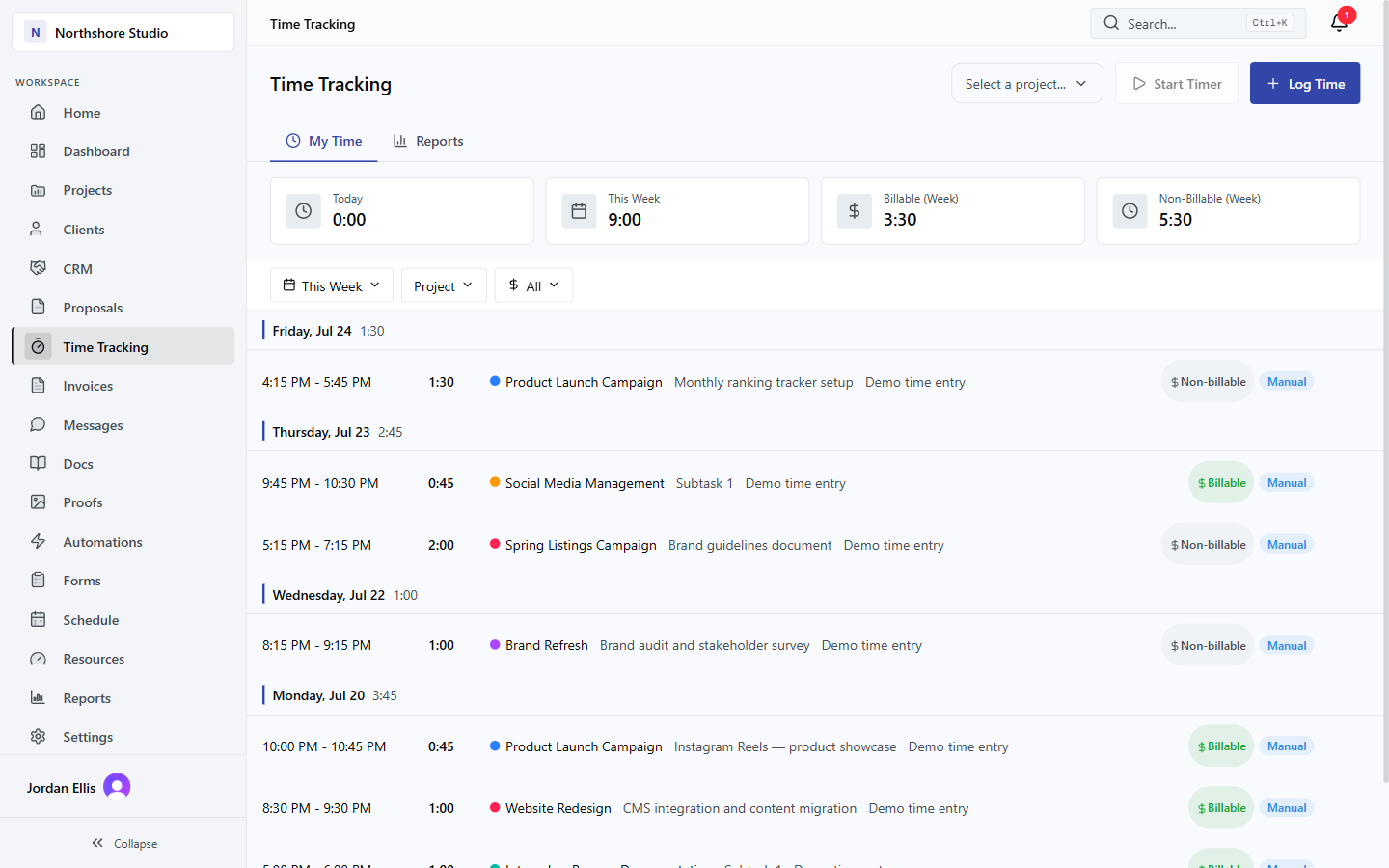
Start a timer from the work when that fits the day, or record the entry with enough detail to explain the effort. Choose the correct project and task. Homepage revision after consolidated feedback is more useful than Design, especially when later reviewing scope changes.
Record meetings, revisions, quality checks and project coordination when part of delivery. Decide billable classification from the agreement. Included fixed-fee effort still has a cost, even when it does not become an additional charge. Skipping those hours makes a project look healthier without changing the work it consumed.
03 / Flowboard documentation
Review entries before invoicing
Set a review point before billing. Check assignment, date range, duration, billable status and rate. Resolve unusually long entries by asking about the work, not automatically reducing the time. Correct errors at the source so reporting and invoicing reflect the same record.
Flowboard can generate invoice lines from billable time, grouped by team member or task. Generated entries are locked against billing on a second invoice. Review the proposed lines and the agreement before sending. Rounding, descriptions, credits and agreed terms still need deliberate attention.
- Confirm the billing period.
- Exclude work the agreement does not permit you to charge.
- Check whether a fixed fee or retainer already covers the work.
- Review the recipient and descriptions before sending.
04 / Flowboard documentation
Read an illustrative project calculation
Suppose a fixed-fee project earns $12,000 and uses 160 hours at a $50 delivery cost rate. Labour is $8,000. With $1,000 of separate direct expenses, estimated direct profit is $3,000 and direct margin is 25%. These are illustrative inputs, not a customer result.
Another 40 hours uses $2,000 of that profit. Revenue remains $12,000 unless the agreement changes, leaving $1,000 before overhead and tax under these assumptions. This is why included revisions need time records. The free calculator explores the scenario; product reports reflect the project records actually maintained.
| Term | Illustrative amount | Meaning |
|---|---|---|
| Fee | $12,000 | Assumed revenue for agreed scope |
| Labour | $8,000 | 160 hours multiplied by $50 cost |
| Other direct expense | $1,000 | Additional cost not already in the hourly rate |
| Direct profit | $3,000 | Fee less the specified direct costs |
05 / Flowboard documentation
Separate an invoice from a payment
Creating or sending an invoice does not mean the money has arrived. Keep delivery, invoicing and payment status distinct when reporting to an owner. Stripe supports client payments in Flowboard, while bank reconciliation and general accounting remain separate activities.
The invoice-paid automation trigger fires for a Stripe payment. Marking an invoice paid manually does not fire that trigger. If a workflow depends on payment notification, test the real payment path rather than assuming a status edit exercises the same behavior.
06 / Flowboard documentation
Keep a weekly data-quality routine
Catch missing time, incorrect assignment and unexpected non-billable effort while the work is recent. Ask project leads to explain the main movement in effort and margin. A report should prompt a practical decision: revise an estimate, clarify scope, reassign work or agree a change.
Do not present current recorded margin as a forecast of the final result. Unlogged time and unfinished work can still change the picture. Flowboard is not a full bookkeeping system; project views do not settle tax, revenue-recognition or cash-reconciliation questions. Keep those definitions explicit when sharing numbers.
THE PRACTICAL DETAILS
Questions, answered.
Is non-billable time irrelevant to profitability?
No. It can consume real labour cost. Its classification tells you whether it is chargeable, not whether the agency spent time providing it.
Can tracked time become invoice lines?
Yes. Eligible billable entries can be grouped by task or team member. Review the billing period, descriptions and agreement before sending.
Does manual payment marking fire the automation?
No. The documented invoice_paid trigger fires on a Stripe payment. A manual status change is a different operation.
Are project margin and cash balance the same?
No. Project economics, invoiced amounts and received cash are different. Keep a separate accounting and reconciliation process for cash and statutory reporting.